
My Day
Every person opens the same screen, and it already knows what they should do. No filters to set, no views to build, no weekly tidy-up. One list, in the order that matters.
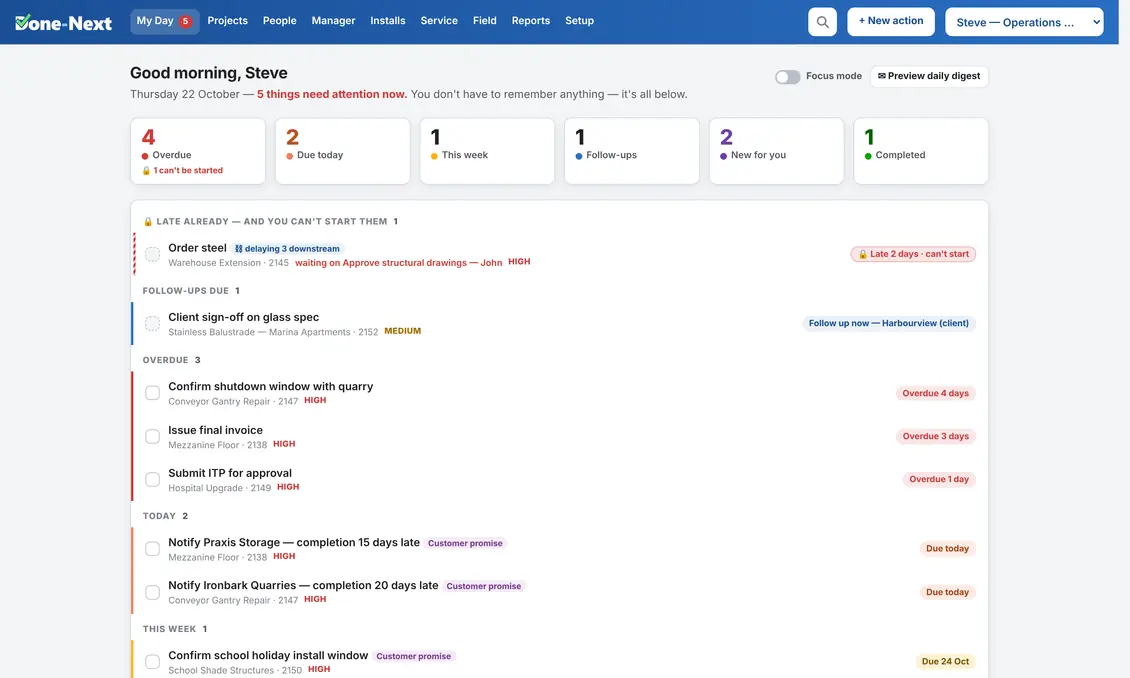
Six bands, and they are always in this order.
Because the order never changes, you stop reading it and start just working down it. That is the entire trick.
1 · 🔒 Late already — and you can't start them
The band most software doesn't have, and the one that catches the most. A task whose date has already gone while it is still waiting on somebody else's work. The person holding it has done nothing wrong and can do nothing about it — so the row names the thing it is waiting on and who has it, because chasing that person is the only move available.
It is striped rather than solid red, and it is deliberately not filed under Overdue. Red in Done-Next means you can fix this; the moment red starts appearing on work nobody can action, people learn to skim past red. This is the earliest honest sign a job is about to slip — and in most systems it is invisible, because a blocked task greys itself out and sinks to the bottom of the list.
2 · Follow-ups due
You said you'd chase the supplier on Thursday. It is Thursday. This band exists because a promise to follow up is the single easiest thing in a business to drop.
3 · Overdue
Sorted by how late, worst first, with the number of days on the right. Red, and it stays red until it is dealt with or the date is properly moved.
4 · Today
What is actually due today. If a line is a promise made to a customer, it is badged as one — so it never quietly loses to something merely noisy.
5 · This week
Far enough ahead to plan, close enough to matter. Anything beyond it is deliberately out of sight, because a list you scroll is a list you ignore.
6 · Blocked — will appear when released
Work that cannot start yet and is not late yet — so it sits quietly at the bottom, greyed, and moves up on its own the moment the thing it waits for is ticked off. Nobody has to notice. Nobody has to re-assign it. This is why the list can be short and still be complete. The day its own date passes it stops being quiet and jumps to band one.
Five numbers you can read from across the room.
Overdue, due today, due this week, follow-ups due, completed. They are the first thing on the screen because they are the only summary most people need before they start.
The greeting above them does the same job in a sentence: “4 things need attention now.” If that number is zero, it says so, and you can get on with the work instead of auditing a dashboard.
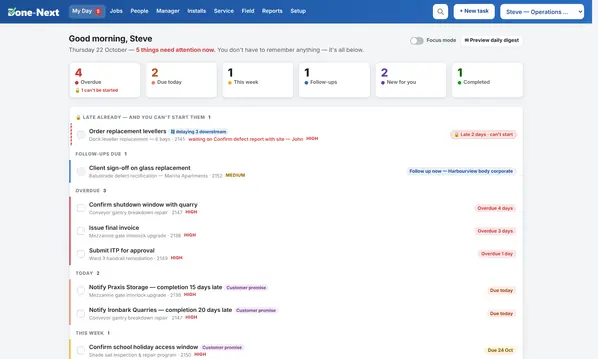
And the person who caused it gets told.
A task being late because somebody else hasn't finished is only half a fact. The half that changes anything is on the other person's screen.
So when work you are holding has made somebody else late, your own row says so — “2 now late behind this” — and it climbs your list accordingly. Being the cause outranks being the victim, because the cause is the only person who can clear it.
A manager gets both halves on one screen: who is stuck and waiting, and which overdue work has already cost other people their dates, ranked by how much damage it has actually done rather than how much it might.
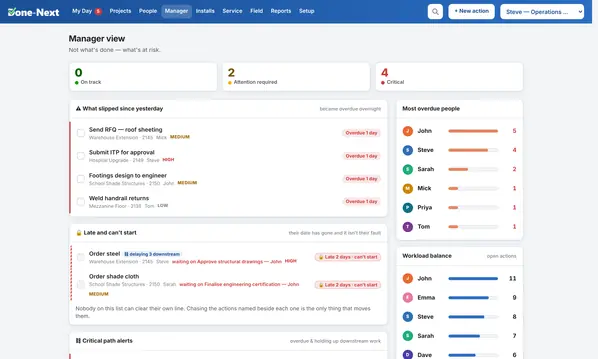
The same list, one level up.
A manager gets My Day for themselves, and a second screen for everyone who reports to them: who is loaded up, who is clear, what is overdue and on which job.
- Workload per person, so you can move work before someone drowns in it.
- Everything overdue across the team, grouped by who owns it.
- Jobs at risk, with the reason — not just a red dot.
- Nobody sees more than they should. The org chart decides, not a settings page.
Details you only notice once you've used it for a fortnight.
Focus mode
One switch collapses everything except what is overdue or due today. For the mornings when the list is long and the day is short.
A daily digest
The same list, as an email, before anyone has opened a browser. You can preview exactly what will land — no guessing what your team will receive.
Waiting on someone
Mark a task as waiting, say who on, and it leaves your list and comes back with a follow-up when it should — instead of being silently forgotten.
Checklists on the line
Work that has to be done in a certain order carries its own checklist, so the person doing it doesn't need the person who wrote it.
Notes that stay put
The phone call, the photo, the quote number — attached to the task, not buried in an inbox that nobody else can see.
Search that finds it
One box, across jobs, tasks, people, notes and PO numbers. Because the fastest system is the one where you never have to remember where you put something.
Open My Day and click around.
It is a real copy of the software with invented data. Tick things off, change dates, break it if you can — nothing you do there touches anything real.