
Anyone with work to do and dates to hit.
If your team has a list of things that have to happen, people who own them and dates somebody is expecting, Done-Next fits. That is most businesses, and most departments inside a business — it is not a list of industries.
What changes between them is the words. A plant maintenance team does not run projects for clients; a sparky does not have phases. So the four words the system uses most are yours to set, and every screen, report and email follows. The five below are simply the ones already set up — pick whichever reads closest to your work, or type your own four words and start from a blank one.
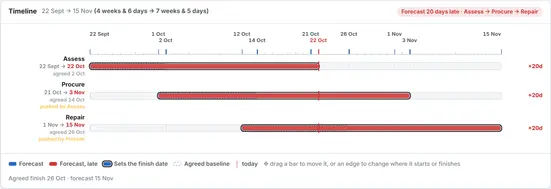
Projects & install
Fabrication, fit-out and equipment installation
See it set up →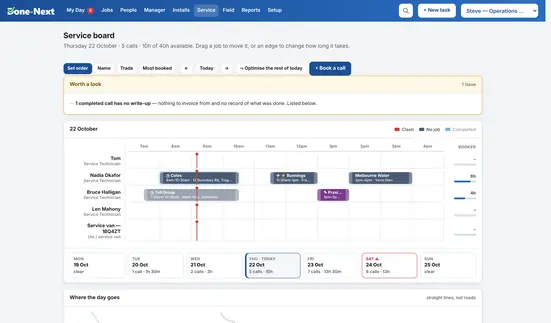
Service & maintenance
Callouts, servicing, agreements and route optimising
See it set up →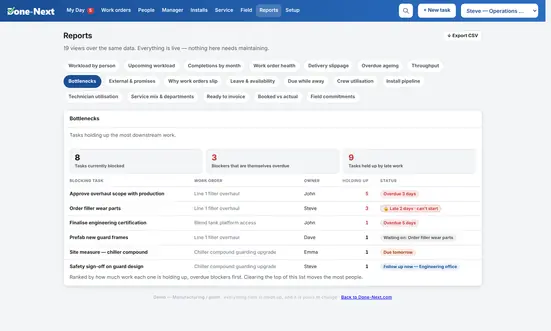
Manufacturing / plant
In-house work orders raised by departments
See it set up →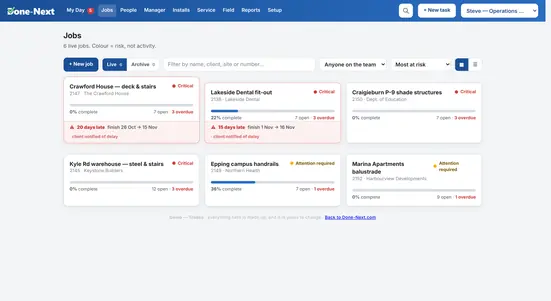
Trades
Builders, fabricators and small crews
See it set up →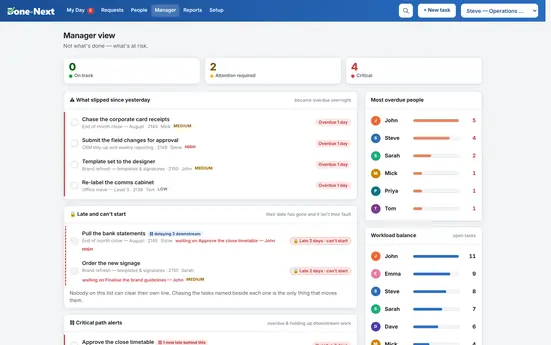
Office / departments
Work raised by one department for another
See it set up →It changes the words, never yours.
The swap happens inside the software, not by rewriting the finished page — so a customer of yours called “Projects Plus” never silently becomes “Jobs Plus”.
Only the system's own language moves. Anything a person typed stays exactly as they typed it. Role names are data too, so Project Manager can become Job Runner without breaking a single approval route. Four of the five presets below call the work a task — so the same software is task management for an office, job management for a builder and work order management on a plant, without being three different products.
| Preset | Job | Customer | Task | Stage |
|---|---|---|---|---|
| Projects & install | Project | Customer | Action | Phase |
| Service | Job | Customer | Task | Stage |
| Plant | Work order | Department | Task | Stage |
| Trades | Job | Client | Task | Stage |
| Office | Request | Department | Task | Stage |
| Yours | Type anything you like, singular and plural. Setup → What this business calls things. | |||
Open the one that sounds like you.
Each demo has a realistic week already in it — overdue work, a job running late, a crew double-booked. Exactly the mess the software is for.