
For trades and small crews
You are on the tools, quoting at night, and holding the whole schedule in your head. It works until the day it doesn't.
Three things that go wrong, and always for the same reason.
Nobody could see it in time.
The job you quoted six weeks ago
The builder just rang to ask when you're starting. You have the quote somewhere, and no idea what you promised.
Two jobs, one apprentice, Thursday
You realise at 6am. One of the two clients is going to get a phone call they won't enjoy.
The variation nobody wrote down
They asked for the extra handrail on site. It got done. It never got invoiced.
Set up the way you actually work.
- The whole schedule out of your head and onto a board — including the contractors, the hired scissor lift and the ute.
- A job template for the work you do every week. New job, pick the template, and the task list is already there and already assigned.
- The crew get today on their phone, with the address and what needs doing, and tick it off when it's done.
- Nothing gets forgotten because you were on the tools. Follow-ups come back on the day you said, not when you happen to think of it.
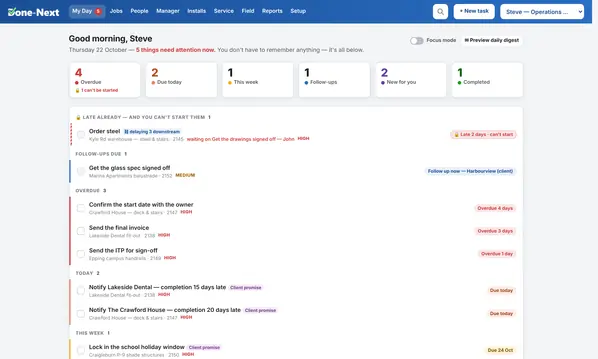
Real screens, from the demo you can open.
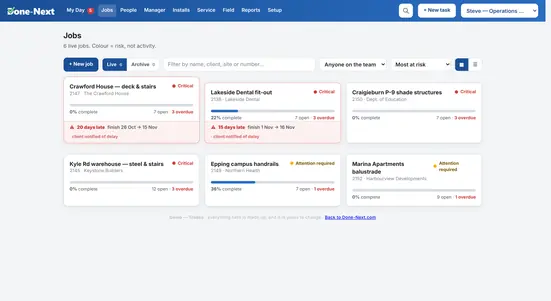
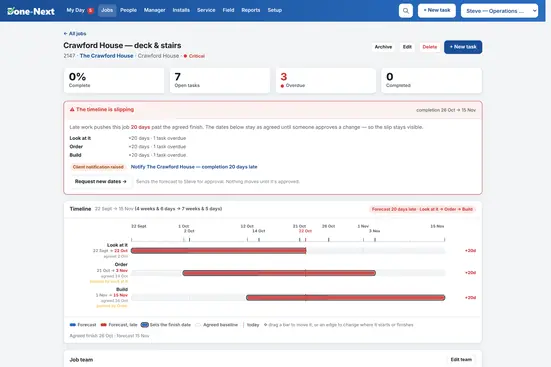
Not mockups. Every image on this page is a screenshot of the same demo linked at the top, taken automatically when the site was built.
Not quite you?
Then pick the nearest and change the words, or start from none of them. The software is identical in every case — these are starting points, not categories you have to belong to.
Have a look at your own week in it.
The Trades demo has a realistic fortnight already loaded — overdue work, a job running late, a crew double-booked. Click anything.